
Proton for Business phone support
Proton for Business organizations with 6 or more members can request setup and troubleshooting support via voice or video call. Plan administrators can schedule a call from their Proton Account settings. Never use a phone number found online.
Phone support is not available for individual plans. To get in touch with our team, fill out a support form or visit our support center.
In this article
How to book a business support call
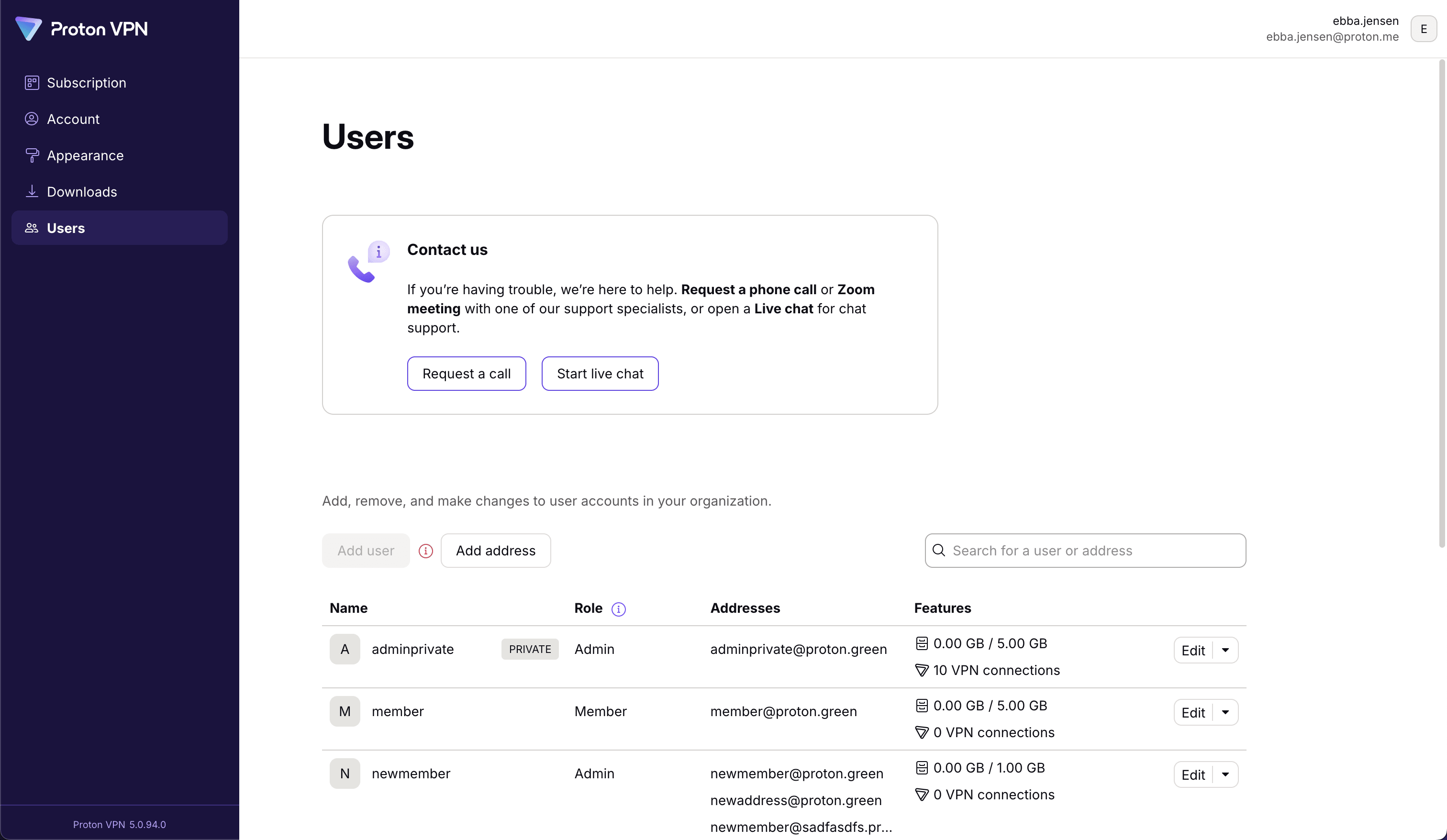
1. Sign in at account.proton.me. Click on your account name, then select Request a call from the menu.

Alternatively, from the Proton Mail, Proton Calendar, Proton Drive, or Proton Pass web apps, go to Settings (gear icon) → All settings → Organization → Multi-user support → Contact us → Schedule a call.

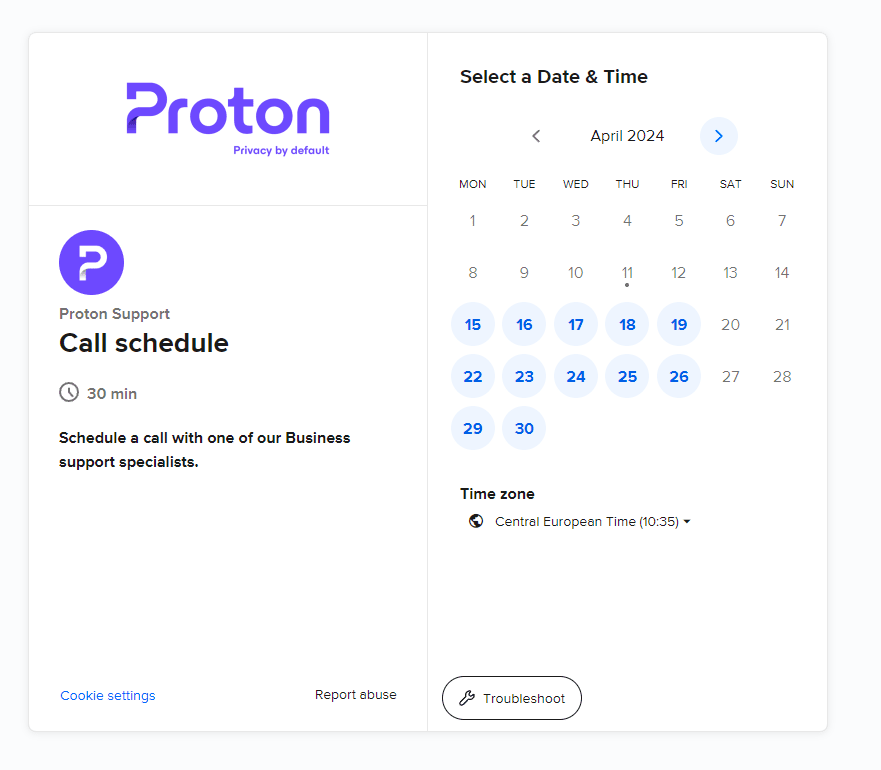
2. Select an available date on the calendar (circled in blue). You can also select your Time zone from the dropdown menu.
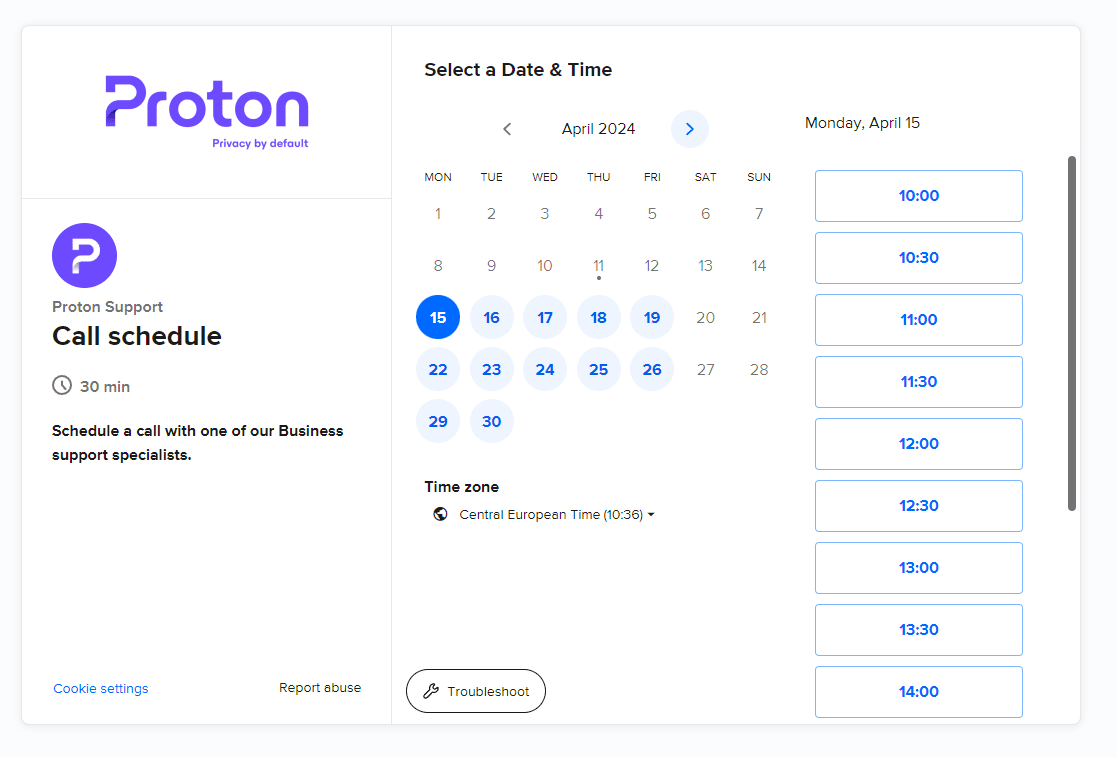
3. Select an available time slot.
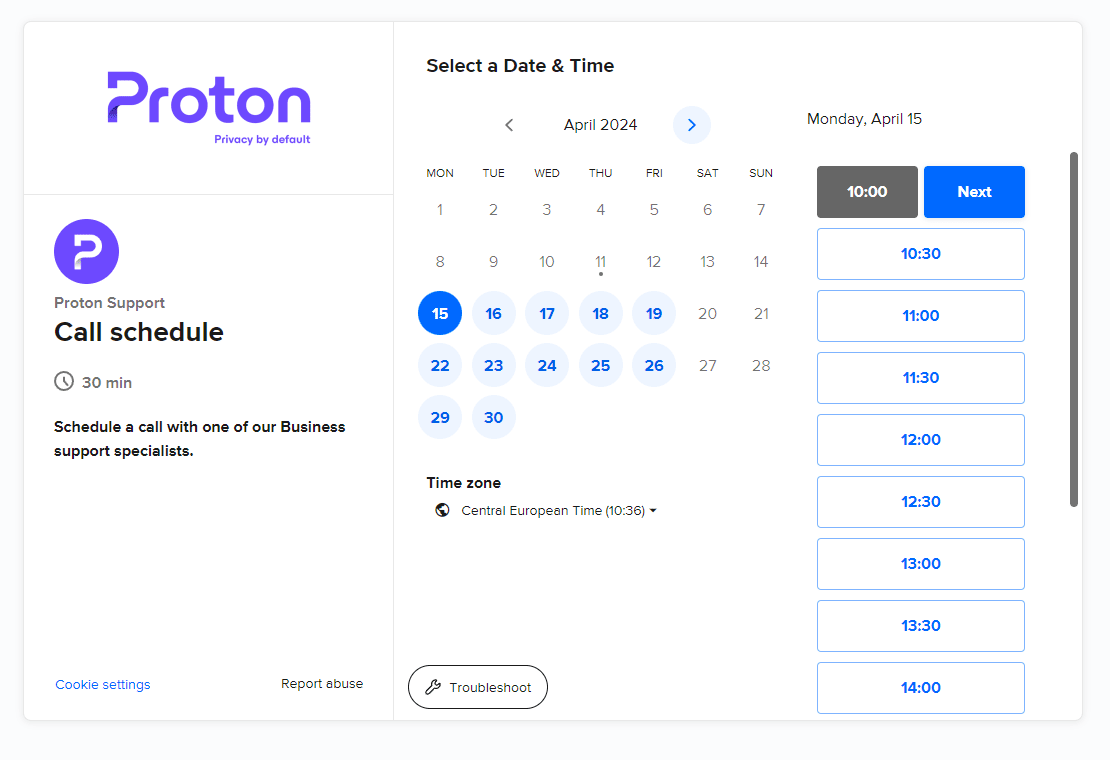
4. Click Next to confirm the date and time.
5. Fill out your details. Provide as much information about your issue as you can — this will help us solve the issueproblemfaster.
Under Location, select Phone call or Video call with screen sharing (we use video calls to allow screen sharing. The actual cameras isn’t used).
Click Schedule Event when you’re ready.

All done, your call is scheduled. We’ll send a Proton Calendar invitation to your email address.

If your organization uses Proton VPN, you can also contact us via live chat(nouvelle fenêtre).
Avoid phone support scams
Unless you’ve booked a business support call through your account or been given a number by our official support team, any website or caller offering Proton phone support is not genuine.
You should never:
- Call a “Proton support” phone number you found online
- Speak to someone claiming to be from Proton’s customer support team (outside of a scheduled business support call)
Fake customer support phone numbers are a very common scam tactic online. There are many fake sites advertising “Proton Mail support number” or “Proton Mail technical support”.
If you call one of these numbers, the person on the phone will ask you for sensitive information like your Proton username and password, with the goal of gaining access to your account.
Please contact us at security@proton.me if:
- You see a fake Proton Mail website online
- You receive a suspicious call or email claiming to be from Proton
- You’re not sure if a communication from Proton is genuine
(A similar scam is when hackers email Proton Mail users claiming to be Proton. All emails from Proton have an Official badge. If you receive an email claiming to be from Proton that does not have this badge, it’s a phishing scam. Don’t click any links or download any attachments. Mark them as spam or phishing so future emails from that sender get sent to your spam folder.)